
Table of Contents
1. Introduction
The most important part to having a functioning RTS game where the player can control a large army of multiple hundreds of units is having an efficient path finding solution. Gameplay can vary wildly in an RTS game based on the performance of the unit path finding, with a good example of this being Starcraft 1 compared to Starcraft 2, where the way units handle in each game vastly changed the overall gameplay experience;
While Starcraft 1 and 2 use the same pathfinding algorithm (A*), they still differ vastly in how the units move around the map.
The first reason for this is that SC1 relies almost entirely on the pathfinding algorithm to get units around, the map in this game is made out of tiles and units will simply wait if the tile they want to go to is blocked, and recalculate the path if it stays blocked for too long.
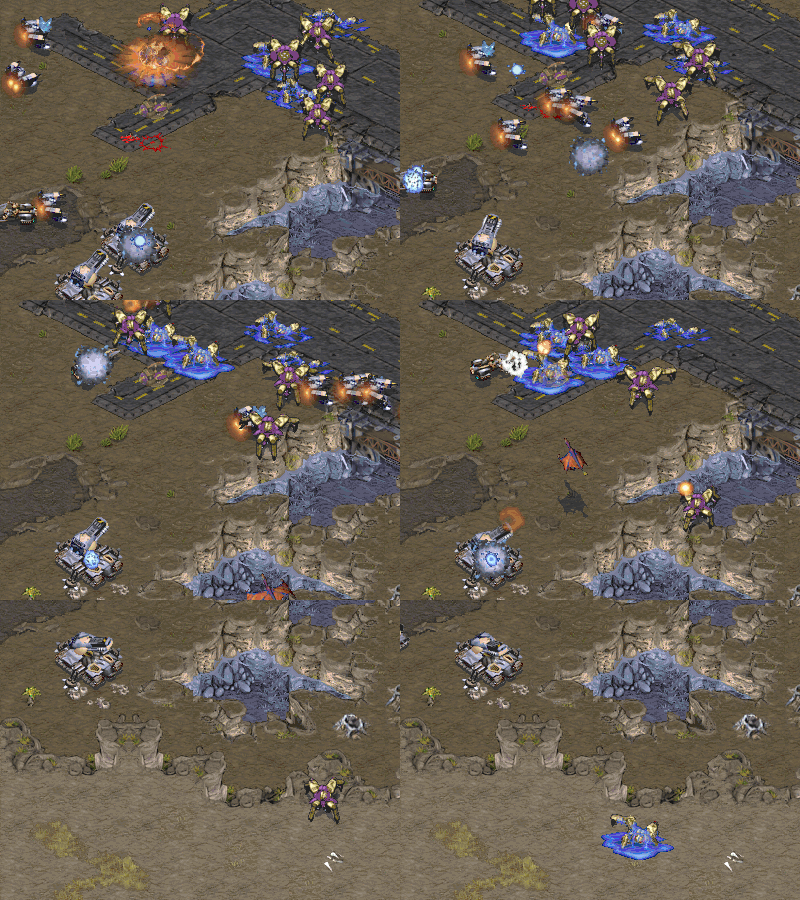
In Starcraft 2 ontop of no longer being stuck to a grid, the developers implemented plenty of steering behaviors to the units based on the behavior of boids, which massively improves how units get around the map and how they avoid each other.
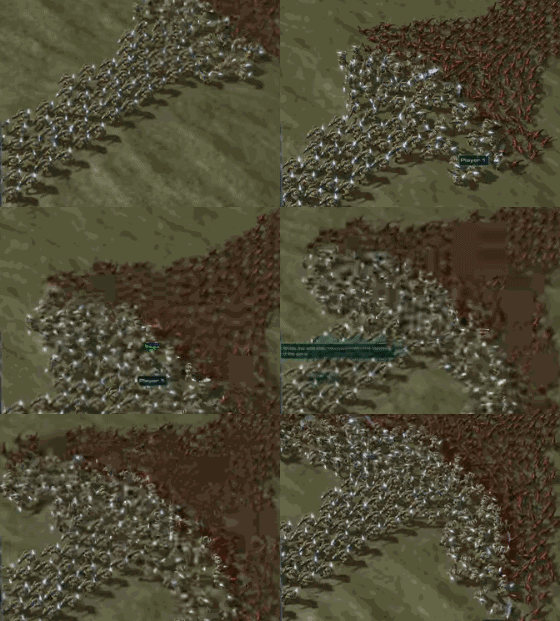
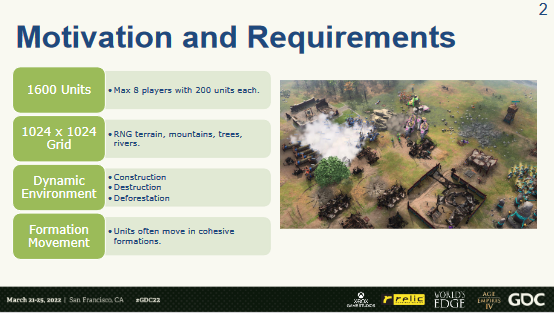
A different example is Age of Empires 4, a more recent game that has much more variables to work with compared to Starcraft 2, it needs to be able to handle more units, larger maps and said maps are much more dynamic. To tackle these problems the developers decided to go with an implementation of Flow fields instead of A*.
For this research I want to look into the pros and cons of these various pathfinding algorithms and also on the importance of the various steering behaviors. What decisions go into deciding which algorithm to use and how scalable are they?
2. Goal
My goal is to create a product with efficient / optimized pathfinding for large scale armies in an RTS context. In order to determine this there are couple of requirements that are important:
- How well does it handle large unit counts
Is the performance still good at 200, 1000 or even more units?
Do units get stuck on each other? - How efficient is the path taken for each unit
Do units always take the most optimal path?
Do they never get stuck on terrain?
How do other moving units affect the path taken? - How expandable is the algorithm
Can it handle dynamic terrain?
How does it handle larger or more complex maps?
How does it tackle units with different properties (size)?
I will be applying these requirements to the pathfinding algorithms I will be testing.
3. Scope
For the scope I want to compare the performance of multiple path finding and steering algorithms and the various ways of implementing them to see which works best for use for controlling large armies, using the requirements described in section 2.
The pathfinding solution is important for determining how a unit can get to a point on the map, while the steering solutions used are important for making sure units don’t get stuck on each other when traveling in groups or when coming across other units in their way.
Pathfinding:
- A* (and HAA/HPA) with NavMesh
- Flow Fields
- Continuum Crowds(?)
Steering:
- Separation
- Avoidance
- Cohesion
- Alignment
One important point is that multiple algorithms can be combined together to create a better path finding system, for example making use of grids of flow fields and using A* to find the optimal path of flow field grids to go through as a way to make it more performant on large maps.
After creating examples making use of these algorithms I would like to further expand the variables that each example needs to work with to test them further, this could be done by for example:
- Implementing dynamic terrain
- Having units of various sizes
- Requiring formations of units
4. Process
https://www.gdcvault.com/play/1027659/Pathing-in-Age-of-Empires
Here is an example I found of the pathfinding techniques used in Age of Empires 4, where the developers used flow fields in order to get 8 armies of up to 200 units across a dynamic map.
For week 1 I want to create a product where you can select and control several units and make use of a pathfinding technique (A* or flow fields if possible) to be able to move them around a static environment.
For the engine I will be using I will be using the Godot Engine, I am picking Godot over Unity due to it generally being faster to create concepts in and it offers more flexibility in terms of programming languages (gdscript / C# / C++), which could be useful for optimizing the pathfinding code if the extra performance is needed.
4.1 A* and baked NavMesh
For the first implementation of pathfinding I will be using the A* and NavMesh based options that are part of the Godot Engine.
https://docs.godotengine.org/en/stable/tutorials/navigation/navigation_introduction_3d.html
A* is an algorithm designed to find the optimal path between two points through the use of a weighted graph, it giving costs to nodes. A NavMesh is a polygonal mesh that defines the area that units can path to. When trying to path find with these two methods A* will try to find the fastest route to a given point on a NavMesh.
These solutions are often built in by default in most game engines, and so the main reason I will be using this implementation is to set a base line for the performance of a built in solution, due to the ease of use and time it takes to implement being so low.
As can be seen in the video above, with just A* in place the units often get stuck in a choke point when trying to get around corners, they also split up instead of trying to stay together as one group. Once they reach their destination most of the units will also keep moving a little bit instead of stopping in a formation. These problems get worse the larger the group of units becomes. If two groups of units try to walk past each other they just get stuck. All these issues also create a lot of lag.
However after messing around more with the variables of the included navigation system and changing the code a bit to work with avoidance I managed to improve the path finding by a large amount.
The settings that made the most difference are the desired distances for when a unit considers a point “reached”, and baking the navmesh with a larger radius, which makes units not path so close to the walls.
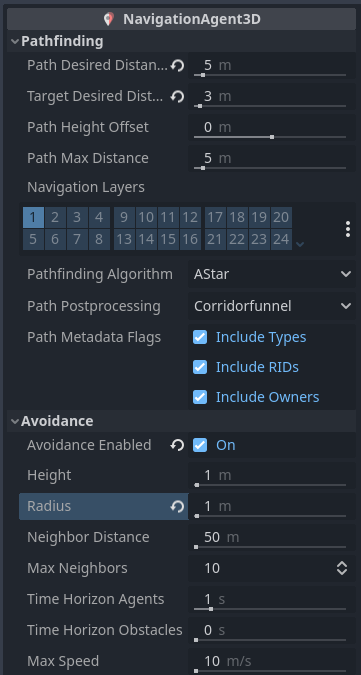
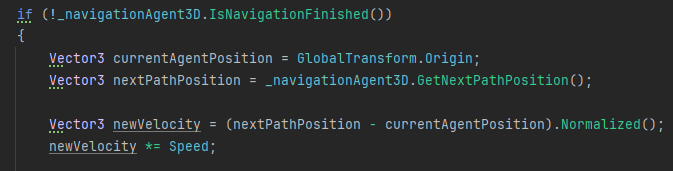
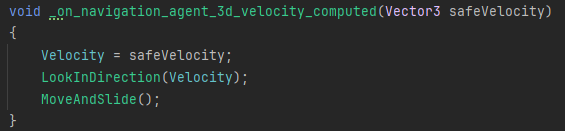
After that enabling avoidance gives the unit a basic amount of steering and modifying the movement code for the units to accommodate how avoidance works allows the units to actually get around each other instead of getting stuck.
After disabling some performance draining options this is how the scene performs with 200~ animated units on a laptop.
This is likely as good as it gets in the form of the built in solutions that Godot has, and for the rest of the research I will be using my own implementation of pathfinding and steering.
4.2 Flow fields
Flow Fields (also known as Vector fields) are an algorithm using a grid of cells that contain direction vectors to point units to their destination.
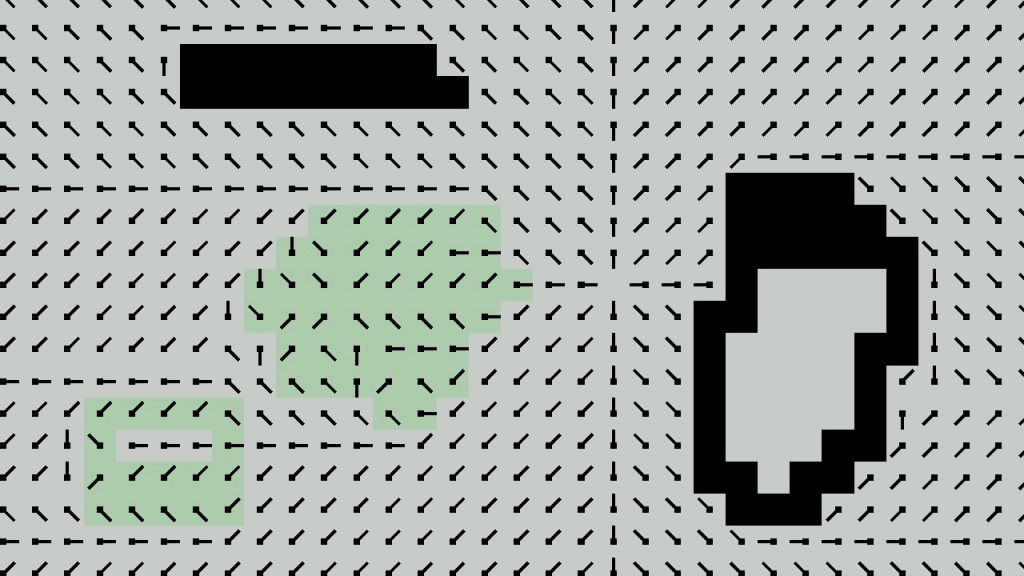
Flow Fields work by creating 3 grids of information:
- Cost field
This determines the base cost of each cell to pass over, which can be used to determine what is difficult or impassible terrain. - Integration field
Determines the total cost needed for reaching each cell, with cells that have the max value being impassible. - Flow Field
This is the field that contains the vectors that point towards the optimal path to a destination by using the costs from the integration field.
Some of the major benefits of using a flow field over A* is that because the calculated flow fields don’t only calculate the path from one point to another but from all the cells, it can be generally reused by multiple units to save on performance. Additionally recalculating the Cost field when the terrain changes dynamically is much faster than needing to rebake a NavMesh.
To get my own implementation of flow fields working I first create a grid of cells that can hold the three information values (alongside additional helpful data)
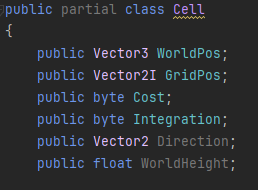
First each cell needs to store the base cost of the terrain. The lower the cost the more desirable the path is for the algorithm.
To start with the implementation I will simply give each cell a cost value of 1.

When the Grid is created and the base costs are set we can start to generate the fields used for the actual pathfinding. Clicking on the screen can send a grid position and will generate the integration and flow field variables for each cell.
For the integration field we apply Dijkstra’s Algorithm to start from the destination cell and check each of the neighboring cells and set their integration cost accordingly. The integration cost will be equal to the base cost of that cell plus the integration cost of the current cell, but this value will only update if it’s lower than a previously set cost if that cell has been checked before. After doing this we continue with checking the neighbors of the checked cells as well until all the cells in the grid have their integration cost set. Additionally when the algorithm finds a cell with a max base cost it will know the cell is impassible and ignore it.

Ultimately the Integration field will have values that become lower as the cells get closer to the target cell. At any given cell you can think of the Integration cost as the distance from the destination, and if you were to follow the smallest number surrounding any given point you will be able to get to the destination.
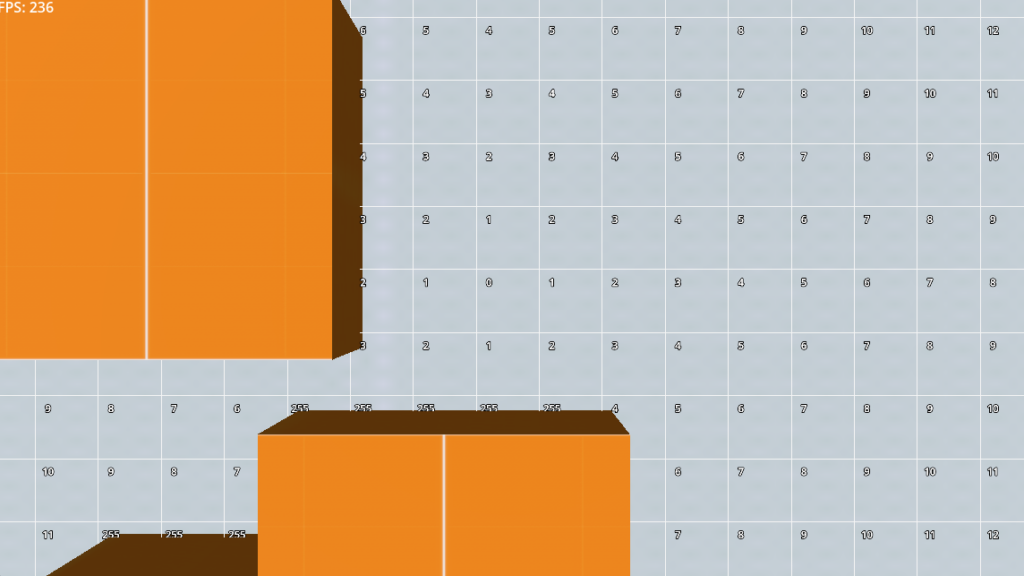
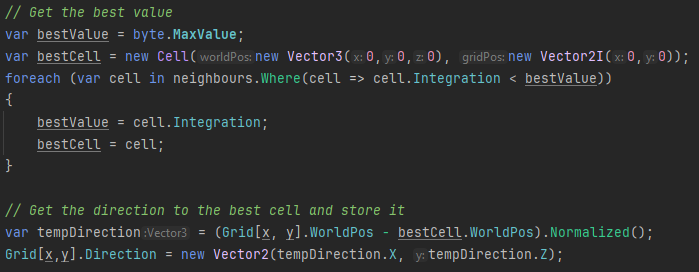
Then for the actual flow field we go through all the cells again and set their direction values towards the neighboring cell with the lowest value. The direction vector that we store in each cell is used as the final flow field variable for helping units with pathfinding. For simplicity I started out with only taking the direction to the best cell which results in only 8 possible directions
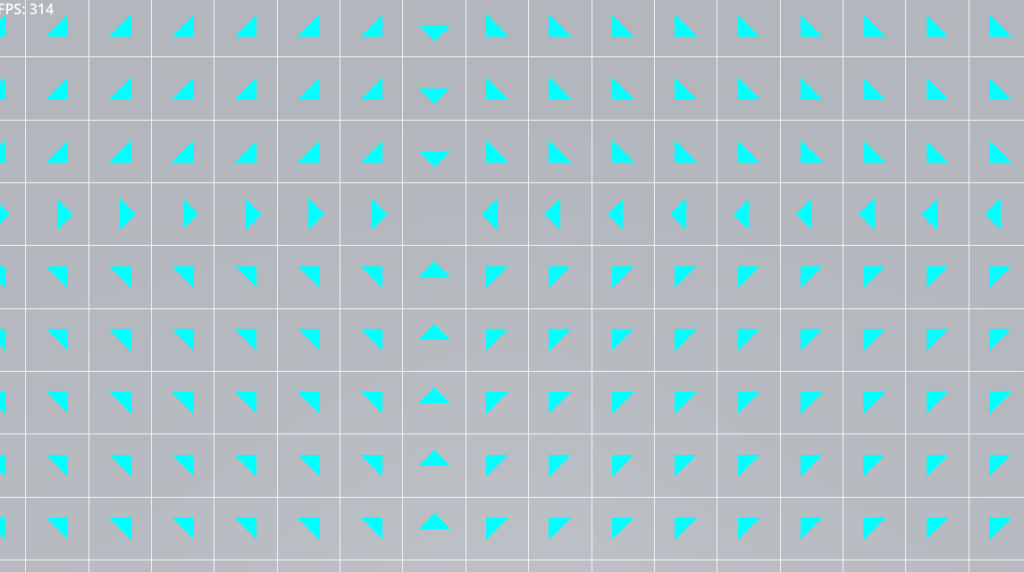
By adding some debug drawings to each cell we can visualize what the flowfield looks like when we tell it to calculate the flowfield to a certain cell.
The next step to turning this into a useable pathfinding algorithm is to first be able to generate the grid based on the terrain and apply the cost values of the terrain to the cells.
Terrain with a max value byte will be impassable, while terrain with the value of 1 will be standard terrain. Values in between those can be used to make a path still passable but less desired if alternative routes exist.
One way to dynamically do this is to check the height difference between the terrain in neighboring cells, if the difference in height is too big it can be determined that the cell is impassable coming from that cell.
Additionally we can simply tag objects that should be completely impassible so the height doesn’t need to come into account.

After visualizing the flow field it does showcase that my implementation is only capable of storing 8 directions, which doesn’t create the most optimal path.
However by comparing the values of multiple cells together we can get more optimal pathing by using convolution math to get a better average of the direction.
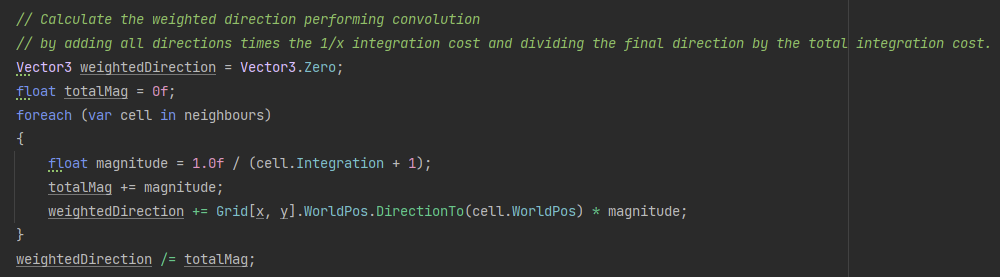
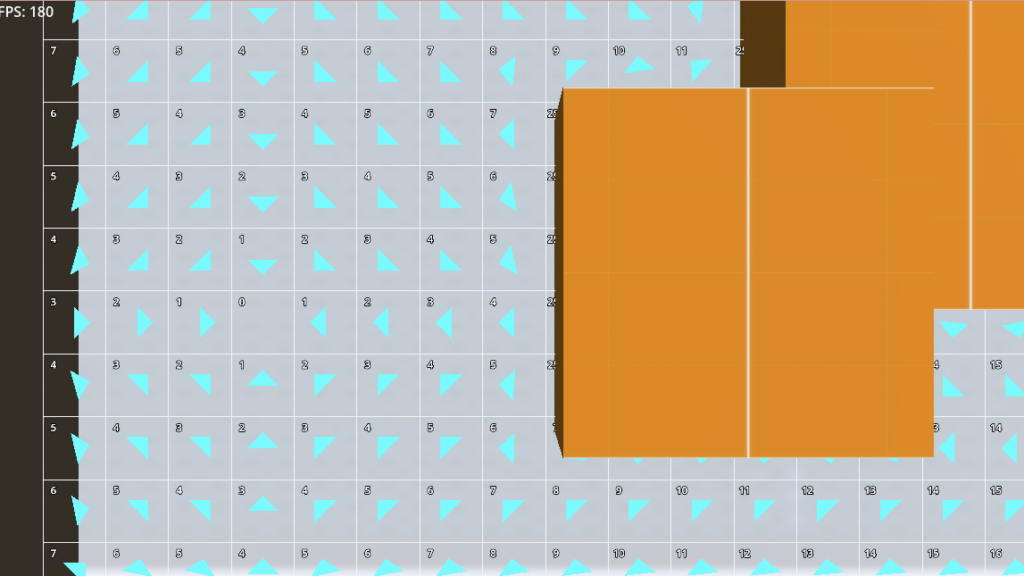
This does showcase two new issues, first is that calculating this goes wrong when near edges of the grid and near impassable objects, and the second is that Dijkstra’s Algorithm might not be ideal as it calculates the integration values in Manhattan Distance, which results in diagonal movement being too rigid.
To fix the first issue we can either use the integration value of the current cell to fill in the missing values, or return to using our original 8 way code when it detects these situations.
For the second issue we can implement the Fast Marching Method over Dijkstra’s Algorithm. The Fast Marching Method is similar to Dijkstra’s but uses the Eikonal equation for calculating the integration values to create less of a grid pattern. By implementing this algorithm and changing the integration field to use float values we can now create much more accurate pathfinding
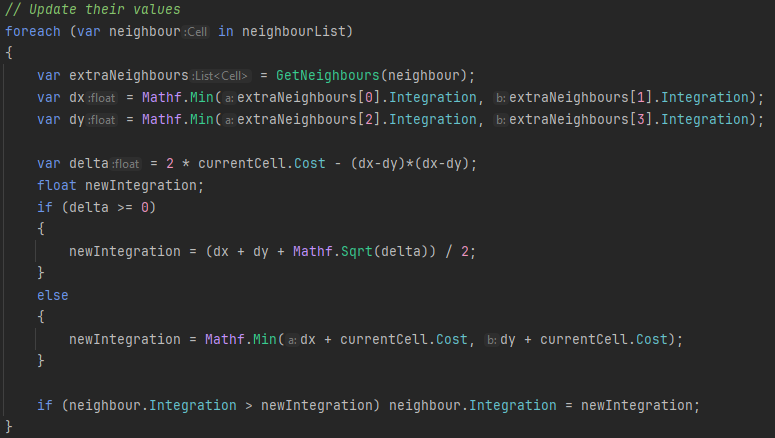
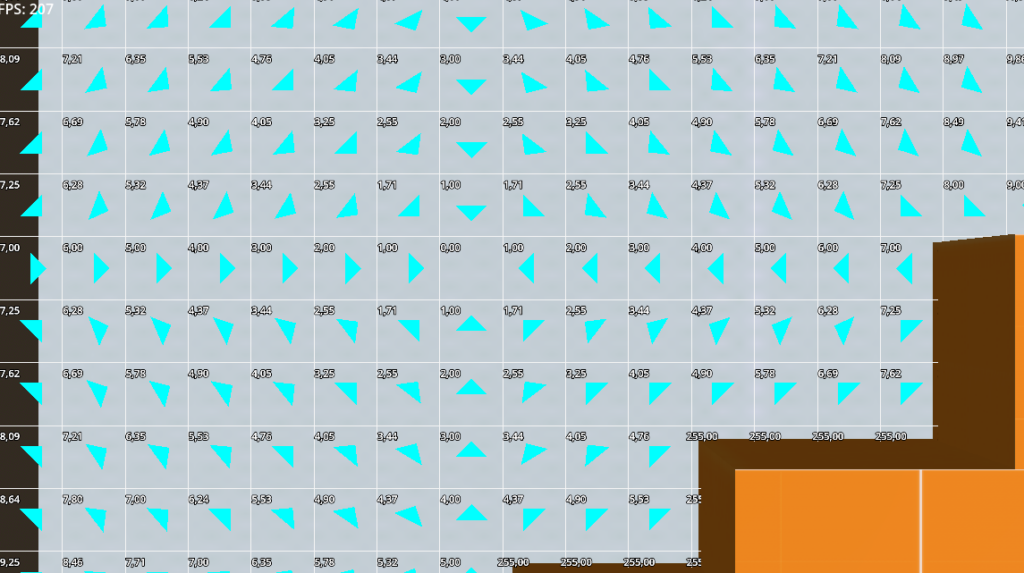
One final small issue observed is that when generating the flowfield, there is a very short stutter where the game will freeze. This is mainly noticeable when moving the camera around at the same time. This can easily be fixed by assigning the flowfield generation to a separate thread. In Godot C# this can simply be achieved by calling the function as a Task. Now the game will keep running smoothly while a separate thread calculates the flow field.

With these issues out of the way we can finally start modifying our units movement in order to actually make use of the flow field for path finding.
One important thing is that we shouldn’t calculate the flow field for every unit as this would take a very large amount of processing time, instead we can calculate it once and save the result. Any units with the same destination cell that are inside of the grid will be able to reuse the same results.
For getting the movement of the units we can simply check the grid location that the unit is under and apply the direction vector of the current cell to the movement of the unit. However if we directly set the movement of the unit to this we run into a problem where they will instantly change direction the moment they get into a new cell, which creates an issue where they are very likely to hit walls on corners.
A better way to do this is to have our units slowly adjust to the direction over time. This will make our units also look a bit more natural when moving around as they won’t snap in specific directions. This however doesn’t entirely fix the problem, especially depending on the actual collision size of the units. The best way to solve this would be to add to the generation of the flowfield to skip over cells that are next to a wall, however with the current implementation this is not a huge issue and we don’t need to add it yet.
Now that we have a unit moving we can start adding more units to the map. I started out by adding around a 100 units to the map that shares its size with the flow field grid. Despite the units not having any steering implemented yet they already showcase quite decent pathing when compared to when we used A* with a navmesh without any avoidance enabled.
From the video we can also still see a couple of things we need to implement. First the units need a better way to figure out when they have reached their destination which will inform them when they can stop moving, secondly right now we only generate a single flow field which affects all units in it, and instead we need to be able to have multiple flowfields active at the same time for separate groups of units.
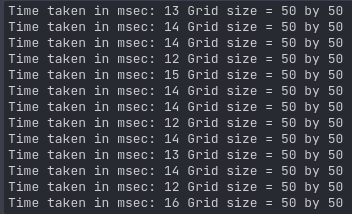
Another obstacle is how to handle larger maps. The larger we make the flowfield grid the more time it takes to generate it. Some of the above videos have been using grids up to a size of 75×75, where it already shows it taking a decent amount of time of around 50ms to generate the flowfield, which is subtle but might make the game feel a bit less responsive. It’s notable that the Big O notation for the time to generate the flowfield is somewhere around O(n), so it scales almost linearly with the amount of cells. Luckily the main benefit of flowfields here is that regardless of the amount of units we are trying to move around the map, this value won’t really change.
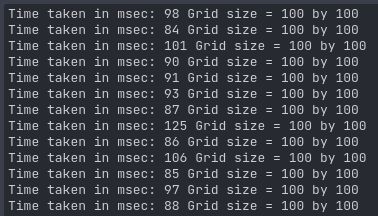
The main way to fix this is to create multiple grids that are connected through nodes called portals which massively lowers the amount of cells that need to be checked, as it won’t waste time generating a lot of cells that won’t actually be useful.
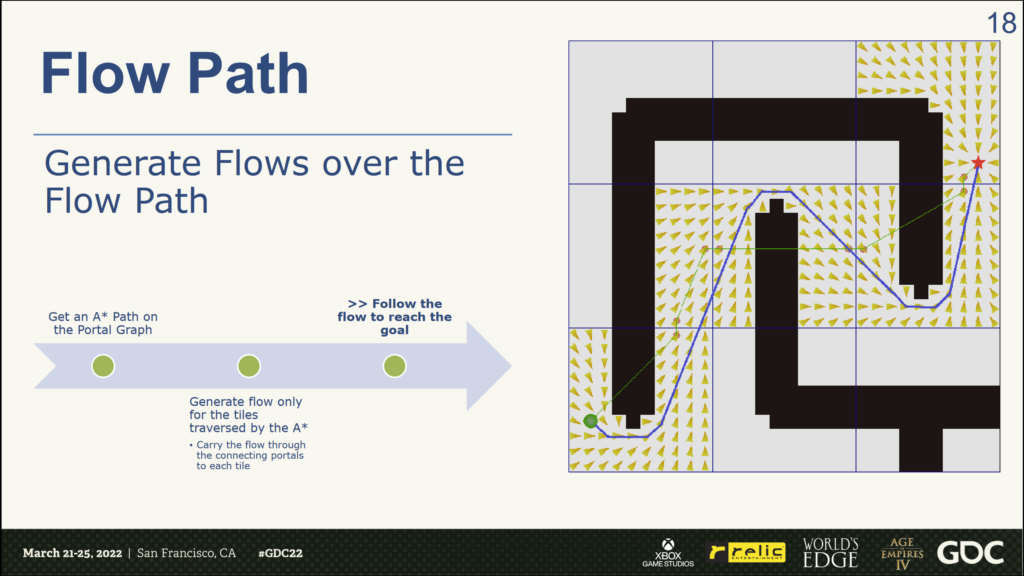
This does increase the complexity of the algorithm quite a bit and would take a lot more time to implement due to this. Ontop of that it’s also possible to decrease the time it takes to generate the flowfield by converting the the flowfield script to a C++ script, although this option would likely result in less of a performance gain over the implementation of a “Flow Path”. Both options could be implemented at the same time as well.
Due to the complexity of implementing these solutions however an alternative is also possible to simply increase the size of each cell so that they cover more space on the map. This lowers the quality of the pathfinding but doesn’t require more effort than simply changing a value.
Additionally without any steering the units tend to clump up a lot, this creates a situation where the physics engine needs to work a lot and it showcases that the physics are the main bottleneck for performance right now (especially when they don’t properly stop when they reach their destination currently). However even without any steering in place the actual pathing of the units around the map and through eachother is quite decent already at this stage.
5. Pros and Cons of each algorithm
For A* with a NavMesh, this algorithm is very simple to implement as most game development tools support it out of the box due to it essentially being the standard, and the complexity and performance of it scales directly with the amount of units using it. It can create optimal pathing with very little work needed to set it up. This means it’s usually the best choice for most games. The main downside is that it can be quite performance intensive to update the NavMesh when dealing with dynamic terrain, but this is not impossible.
When it comes to using flowfields, instead of having a scaling cost based on the amount of units it instead has a higher upfront cost that stays constant regardless of the amount of units that are present. This makes this algorithm much faster when the need for very large unit counts are needed. However most of the time the amount of units needed for flowfields to make a huge difference are incredibly high, so the use cases for implementing this are much more niche. In addition when dealing with such high numbers of units you often also run into a bunch of other issues when trying to keep performance up that are likely much more important than the pathfinding algorithm when it comes to performance.
Due to this implementing the algorithm is also significantly more difficult and time consuming.
As a conclusion in games it’s often better to simply use a NavMesh based pathfinding until you reach a point where the main limitations of that algorithm start causing issues. Most games won’t hit those issues, and even a lot of RTS games like Starcraft 2 can get by with simply using NavMesh based solutions. Only when dealing with games that require a lot of dynamic terrain, or incredibly high unit counts does it makes sense to consider making use of flowfields for pathfinding. Even then a lot of times the main issues on performance aren’t actually because of the pathfinding, but from other things like inefficiently rendering a lot of units or from a large amount of collisions happening. This also creates a scope issue when trying to properly address the real world differences between these algorithms, trying to get to a point where the actual algorithms become the real limiting factor massively increases the scope of this blog.
6. Sources
Formation Movement for Real-Time Strategy Games
https://andrewtc.dev/docs/Christensen_Eiserloh_Thesis.pdf
Wyatt P. The StarCraft path-finding hack – Code of honor.
https://www.codeofhonor.com/blog/the-starcraft-path-finding-hack. Published 5 april 2023
Pathing in Age of Empires. GDCVault.
https://www.gdcvault.com/play/1027659/Pathing-in-Age-of-Empires. Published 2022
AI navigation: It’s not a solved problem – yet.
https://www.gdcvault.com/play/1014514/AI-Navigation-It-s-Not.
Amo. Flocking Flowfield Pathfinding.
https://anderamo.files.wordpress.com/2015/02/cs380_researchpaper_flockingflowfieldpathfining1.pdf. Published 2015
Garcia. Group Movement in RTS. Group Movement.
https://ap011y0n.github.io/Group-Movement.
Emerson, E. (2019). Crowd pathfinding and steering using flow field tiles. In Game AI Pro 360: Guide to Movement and Pathfinding (pp. 67-76). CRC Press.
http://www.gameaipro.com/GameAIPro/GameAIPro_Chapter23_Crowd_Pathfinding_and_Steering_Using_Flow_Field_Tiles.pdf
Captain. Flow Fields And Dynamic Obstacle Avoidance. Game Development Ideas and Solutions. 2017. https://bcaptain.wordpress.com/2017/11/24/flow-fields-and-dynamic-obstacle-avoidan.
Erkenbrach L. Flow field pathfinding. Leif Node.
https://leifnode.com/2013/12/flow-field-pathf.
Dijkstra and fast marching algorithms.
http://www.numerical-tours.com/matlab/fastmarching_0_implementing/. Published 21 oktober 2014.
Wikipedia contributors. Fast marching method. Wikipedia.
https://en.wikipedia.org/wiki/Fast_marching_method. Published 22 augustus 2023.
Durant S. Understanding Goal-Based Vector Field Pathfinding. Code Envato Tuts+. https://code.tutsplus.com/understanding-goal-based-vector-field-pathfinding–gamedev-9007t.
Published 5 juli 2013.
Treuille, A., Cooper, S., & Popović, Z. (2006). Continuum crowds. ACM Transactions on Graphics (TOG), 25(3), 1160-1168.
https://grail.cs.washington.edu/projects/crowd-flows/78-treuille.pdf
