

1. Introduction
So when we talk about making games multiplayer, we really gotta have a solid network that doesn’t mess up the fun. For my R&D project I’m researching all the ins and outs of making a game multiplayer. In this project I really get into the basics and make sure everyone playing gets a smooth game.
In the first part of this paper, I’m gonna talk about two ways to set up the multiplayer network: peer-to-peer and client-server. I’ll lay out the pros and cons and then tell you why I picked one over the other for my project. After that, in the second chapter, we’re gonna dig into the actual game, setting up how characters move and what special stuff they can do. Then, in chapter three, we’re getting into the serious stuff like making sure the game doesn’t lag and using some smart tricks to predict what’s gonna happen next. By the end of this paper, in the last chapter, we’ll wrap everything up and answer the big question: ‘How can we create a seamless and enjoyable multiplayer gaming experience?’
2. Networking Models (peer-to-peer-vs-client-server)
For this R&D project about multiplayer I firstly had to get a better understanding about it. When researching i found that understanding the client-server and peer-to-peer (P2P) architectures was very important. I found quite quickly which of the two I should use, which actually was client-server. In this chapter we go deeper into client-server and P2P and why I actually chose client-server.
Client-Server Architecture:
Definition: From the research I’ve done I found that in a client-server architecture the server plays as a central entity that hosts data and services, while clients are devices that request and use these services.
Characteristics:
- Centralized: The server acts as the main authority, holding the core data and logic. This centralization provides control and consistency.
- Scalability: Servers can be scaled up to get more clients, this makes it perfect for games which will grow in the future.
- Maintenance: Any updates or changes can be centrally implemented on the server, simplifying the process of keeping the game up-to-date.
- Security: Centralized control helps in keeping control over the game and the players.
Use in Multiplayer Games:
- Consistency: A central server makes sure that there is one truth and no more. This makes the game consistent on all devices.
- Anti-cheat: It’s more challenging for players to cheat since the game logic and data validation are centralized and are being done by the server.
- Performance: Servers can be optimized for game performance, ensuring a smooth experience for all clients, regardless of their individual hardware capabilities.
Peer-to-Peer (P2P) Architecture:
Definition: Peer-to-peer, as I’ve learned, means that each participant acts both as a client and a server. Peers share resources directly without a central server.
Characteristics:
- Decentralized: There’s no single point of authority or failure, as all participants are equal in this network.
- Direct Communication: Peers communicate directly which can reduce latency in certain scenarios.
- Scalability: Scaling a P2P network can be challenging since each peer communicates with multiple others. This makes it a much bigger task to achieve.
- Security: The decentralized nature can make P2P systems more vulnerable to various security threats, including cheating.
Use in Multiplayer Games:
- Latency: Direct peer-to-peer communication can lead to varying latencies among players, which may affect gameplay.
- Cheating: Not having one central authority which decides what happens can lead to people cheating more easily.
- Complexity: Losing peers in the game can lead to many problems and this makes for a more intrecate and more tough development process.
Why I Used Client-Server in a Multiplayer Game:
As said earlier, for my R&D project I will be using the client-server architecture for several reasons:
- Stability: A strong server can make sure for more consistent gameplay for all clients, reducing synchronization issues that can happen when using P2P setups.
- Control: Centralized control makes for easier updates, maintenance, and anti-cheat measures and makes sure the game is fun and fair for everyone.
- Scalability: In the future as the game gets more complete I hope to get a big game base. With that big game base i can easily scale my client-server project up.
Implementation:
To implement the client-server model for my project, I will use networking tools which Unity has to offer. In this case, Unity’s Netcode for GameObjects library is a very easy to use and effective library which also has a great guid online. Using network variables and ServerRPCs, I will ensure synchronization and handle player movements, health tracking, and combat abilities effectively.
3. Game Design and Objectives
So the game I’ve decided to create is a game where around 2-8 people can join and fight in a medieval style game. The game is created in 2d and the players can each walk, run, hit and block. Normally this would not really be that difficult to achieve, but with multiplayer this task becomes a lot more difficult. We now have to think about things like synchronization and packet loss, but more on that later on.
First I started by importing the unity netcode for gameobjects library. This library has all the necessary tools to start building a basic multiplayer game. By following along with the unity guide from their site I was able to create a basic multiplayer game. I created the following scripts for each aspect of the player:
- PlayerMovement: So this script is all about making your player move around in the game world. We’re using Unity’s Netcode to make sure everyone in the game sees the same thing, keeping everything in sync. We use a couple of different methods to ensure synchronization like network variables and also ServerRPC, but more on that later.
- PlayerHealth: This one’s all about keeping track of how much health your player has. It does the math when you get hit, updates how much health you’ve got left, and makes sure the health bar shows the right amount. Yet again we use network variables to ensure synchronization across all clients.
- PlayerAbilities: This script is as the name suggests all about your player’s combat moves – attacking, blocking and maybe more in the future 🙂 . Of course again we use network variables here to ensure synchronization.
So let’s finally talk about network variables. As mentioned before, I used them quite often as they are very helpful in making the game correct for all the players. So a network variable is a special kind of variable used in multiplayer game development. A network variable ensures that the value of the variable is consistent across all connected players in a game. With the right read and write permission a player can change the value of the variable. Once the variable has been changed it will get sent to the server at the next tick. The image below shows all the network variables which I’ve used for the player movement.

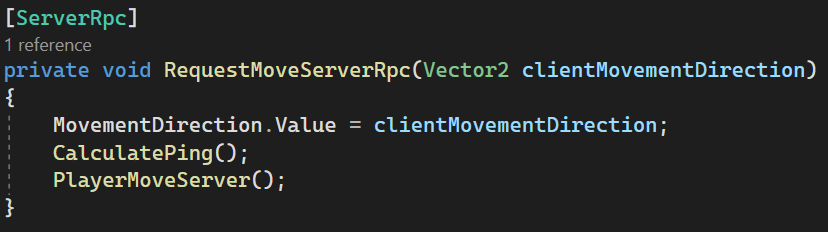
Besides network variables there also are RPC’s, two of them to be exact. There is Server RPCs and Client RPCs and each of these can be used when needed. A Server RPC is used when a client needs to send a message to the server to perform a specific action or update some game state. A Client RPC is used when the server needs to send a message to one or more clients to perform a specific action or update their local game state. In my project I have used the ServerRPC to send a movement request for the player to the server. This way I ensure that only the server decides wheter a player can move or not and this makes sure cheating becomes more diffcult.
4. Lag Compensation and Predictive Algorithms
In the following chapter we will delve deeper into lag compensation and predictive algorithms. Looking for a good solution to fight lag and ensure a smooth game for all clients. I got recomended to look into dead reckoning. Dead Reckoning is a technique used in multiplayer gaming to predict and simulate the movement of players or objects, helping to create a smoother gaming experience, especially when there are network delays or packet loss. A popular old game which actually used dead reckoning is Quake. In Quake, the server would send updates about the game state to the players, and the players’ clients would use Dead Reckoning to predict the positions of other players between these updates. This helped to create a smoother gameplay experience, even when players were connecting over slower internet connections. Dead reckoning is used in multiplayer games to make sure that each client sees other clients at the
So to implement Dead Reckonig in my own project I had to first save the important state variables. I save the player’s last position, last velocity, and the time of the last update. With these variables I can make predictions about the clients position.

Not really understanding the whole concept of lag and dead reckoning, I failed miserably at trying to implement it into my game. As seen below, I created a conditional prediction which would only predict inside of a certain elapsed time span. Having a maximum time can be good in case it takes to long to update, which would in turn make for a very big difference in server and client states. However this can be done in a better way. Also the predicitonLimit was set at half a second which was just decided randomly instead of actually researching it.

After seeing that this did not work, I started actually researching. I found that to make the prediciton actually more accurate I had to not just randomly asign time values here and there, but i had to also use the clients ping. Ping or RTT (Round-trip time) is the time it takes for a request from the client to reach the server and get back an answer. By also taking this into account we can make a much better prediciton. So I wrote a script which sends out a request every second and then times how long it takes for the answer to come back.
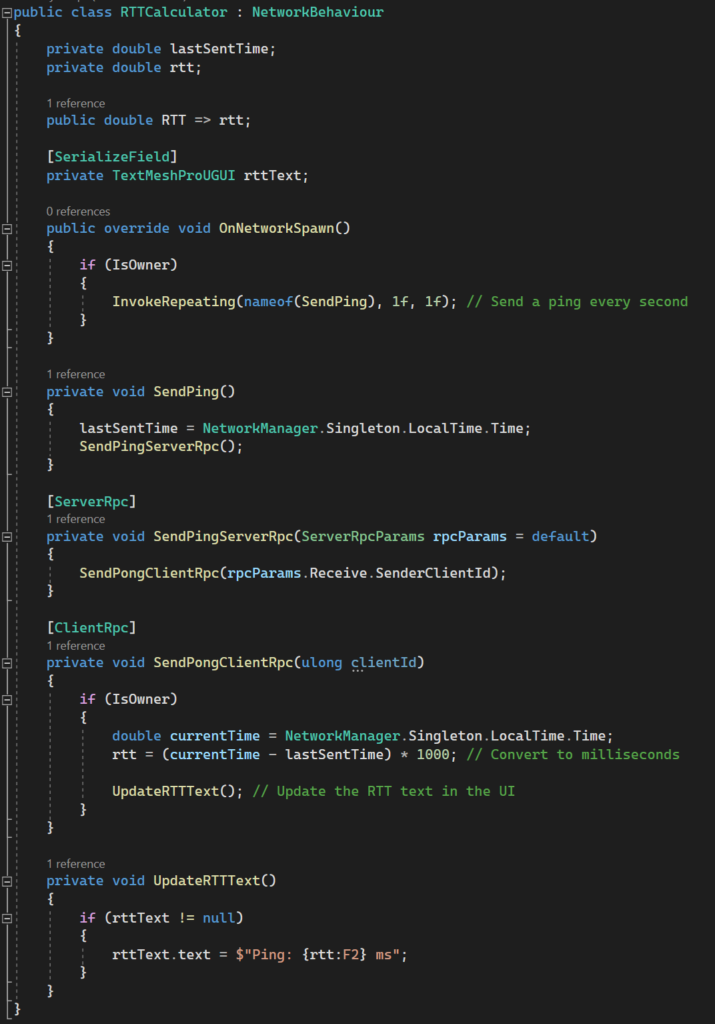
This RTTCalculater I then used in my PredictPosition function to get a more accurate prediction.
So in the PredictPosition() we check the time since the last update by subtracting it from the current time. We then add the ping divided by 1000 to get the ping in seconds. Then we calculate the amount of steps which would have happened in this time. Now that we have the total steps we can start to calculate the average velocity over the time period. Why we take the average and take a bit of a difficult route is because the speed of the player grows by each frame. To get an as accurate as possible prediciton we have to also act like the player has been speeding up for each step. In the forloop we get the total speed of the steps and then later we get the average. The average speed is then used to set the velocity.
Down below is the actual code implementation:

After predicting the position there is a chance that the server and client position arent actually the same. To account for that I created a function called CorrectPosition. This function does as the name suggests, it corrects the client position to the server position. Here we use a lerp to makethe transition as smooth as possible. To make sure that the player doesnt get a lot of jitter when moving around I made sure to set a positionCorrectionThreshold. This threshold makes sure that for values near zero the lerp isnt used. After getting some valuable feedback I understood that there is a danger in lerping to the server position. The player can have problems with colliders and also it will look very weird if the distance is too big. That’s why i’ve added the positionThresholdMax. This ensures that the palyer only lerps until a certain distances, else it just teleports there.

5. Hit Detection and Player Feedback
Finally, in this chapter I will start to talk more about the hit detection and the player feedback. When I started with writing the code for the hit detection I didnt really think about all the difficult parts of getting this part right. I started by having the hit detection done inside of the clients scripts. After failing a couple of times and not getting any hit registerded, i realized that there should be a better way. So after some research i found that centralizing the collision detection and the hit response would be the best way to go.

So to make sure that the hit is actually happening i have made a double check on the server side. This check is made to make sure that the player hitting is actually hitting and the player getting hit is actually getting hit. This ensures a fair game for all clients.

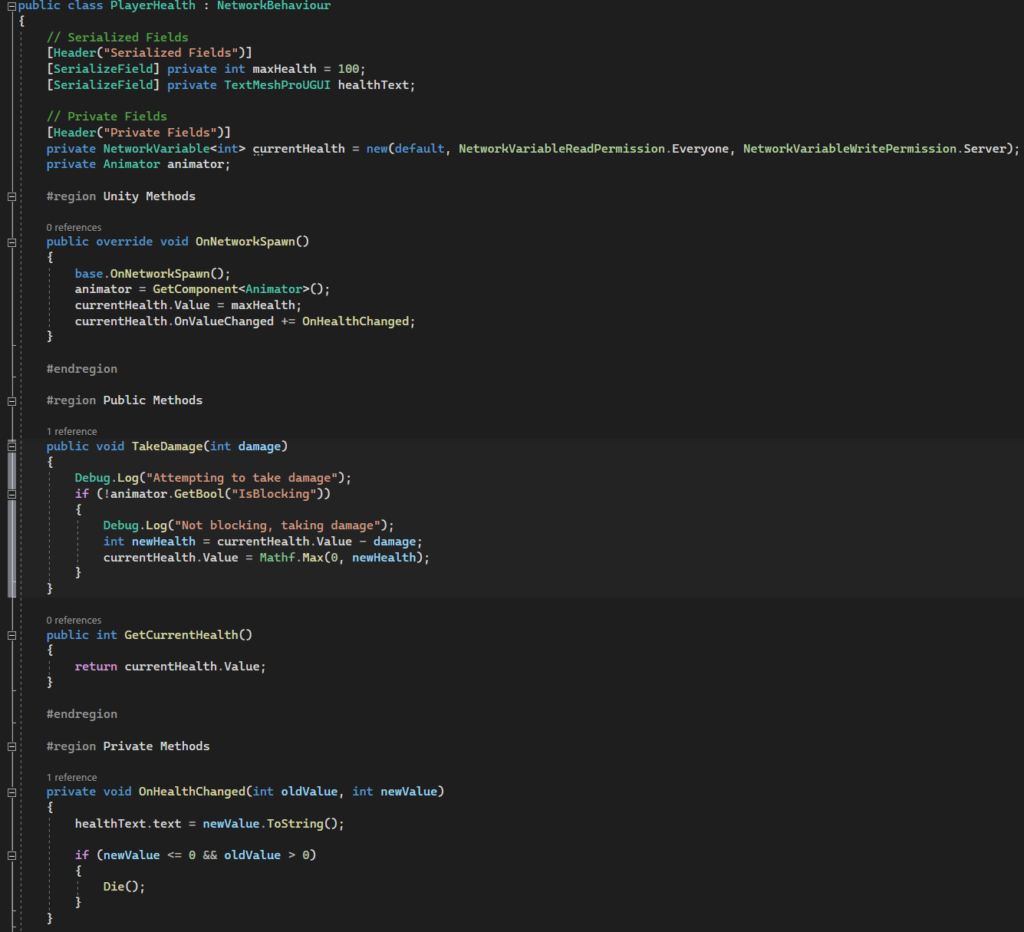
Result: With these changes the hit detection in the game became more reliable and actually working. Players can now hit each other and do damage which makes the overall user experience much better then before. By centralizing the hit detection I also was able to make the code much more readable and have a better overview (WIN -WIN).
6. Conclusion
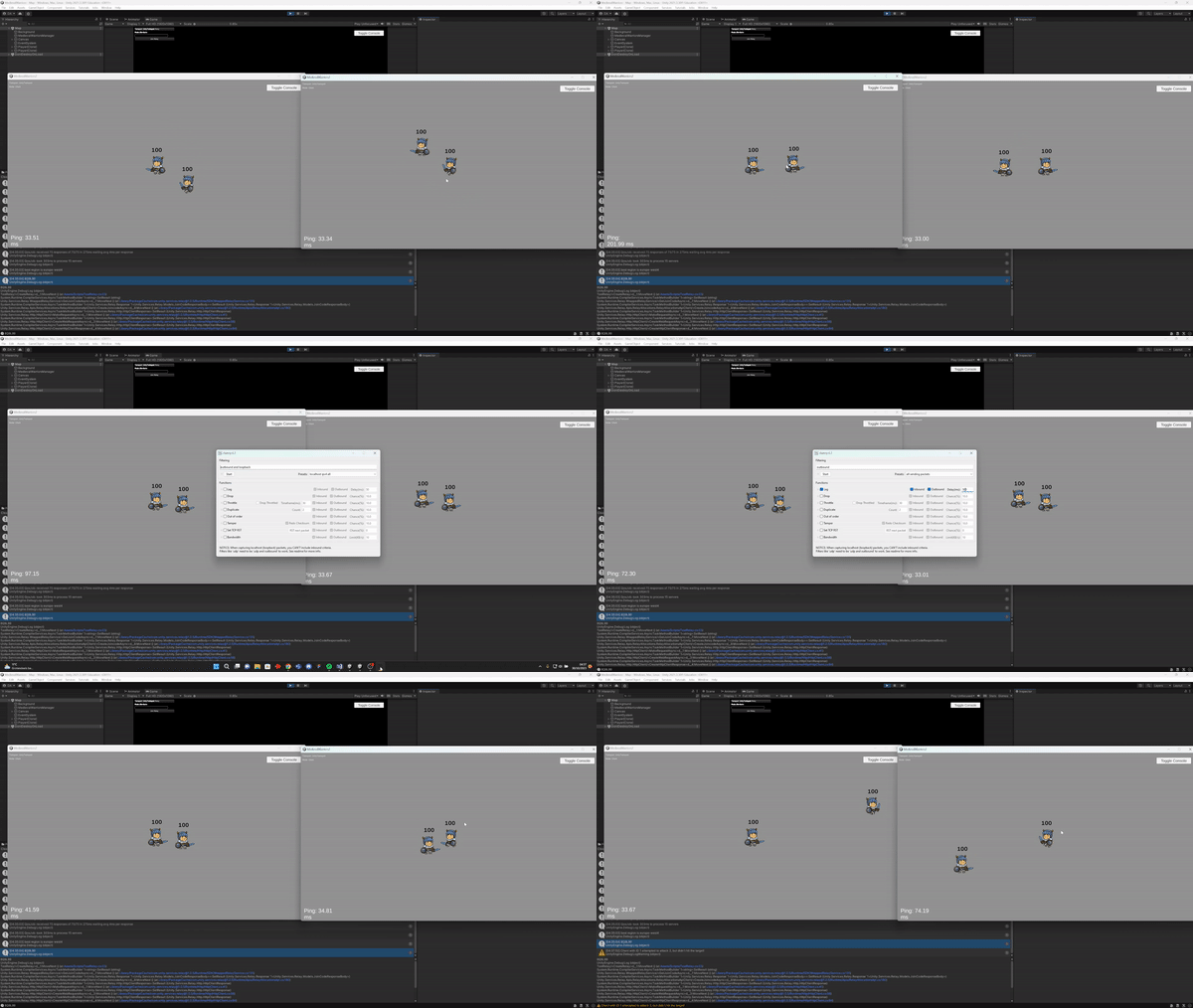
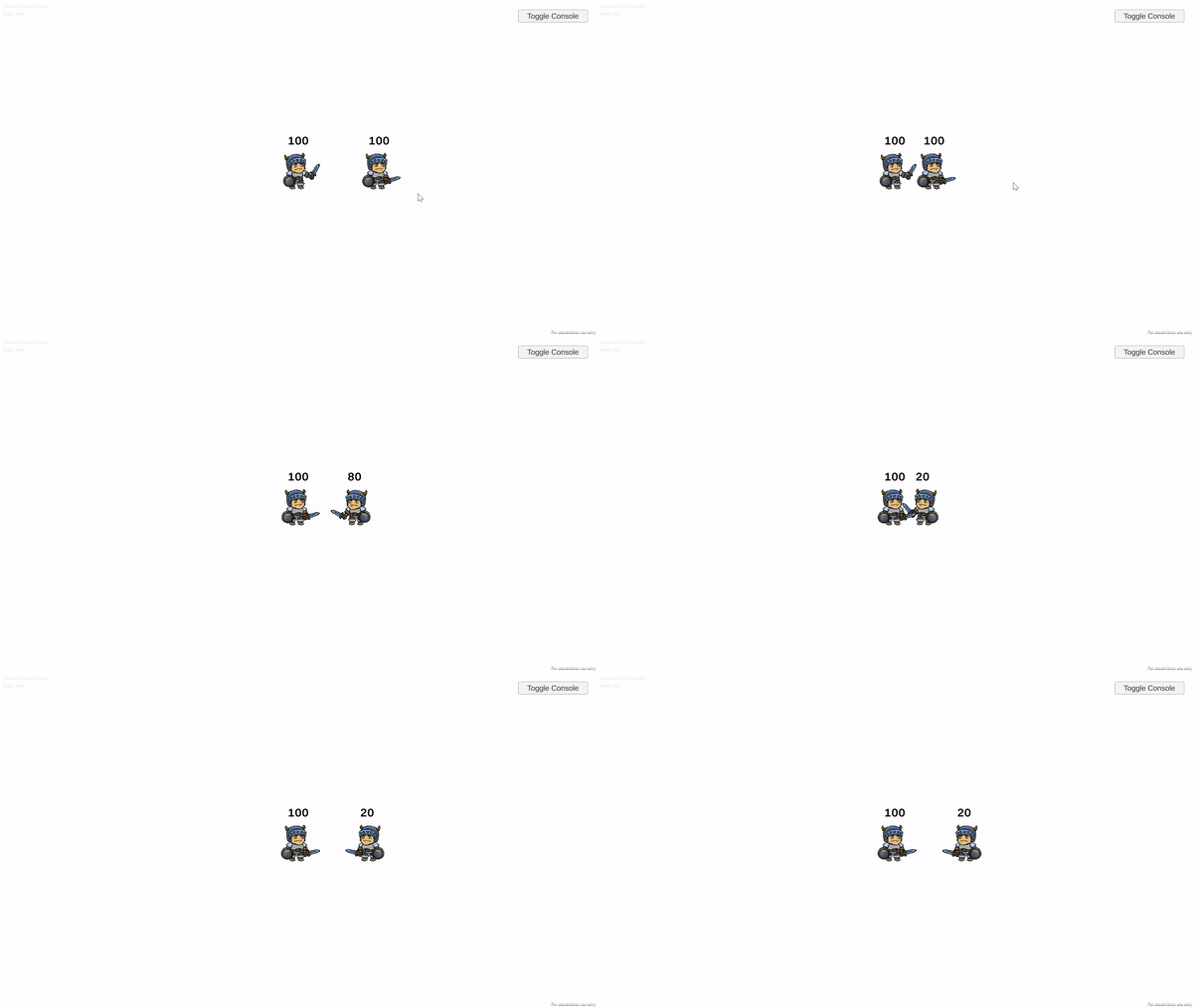
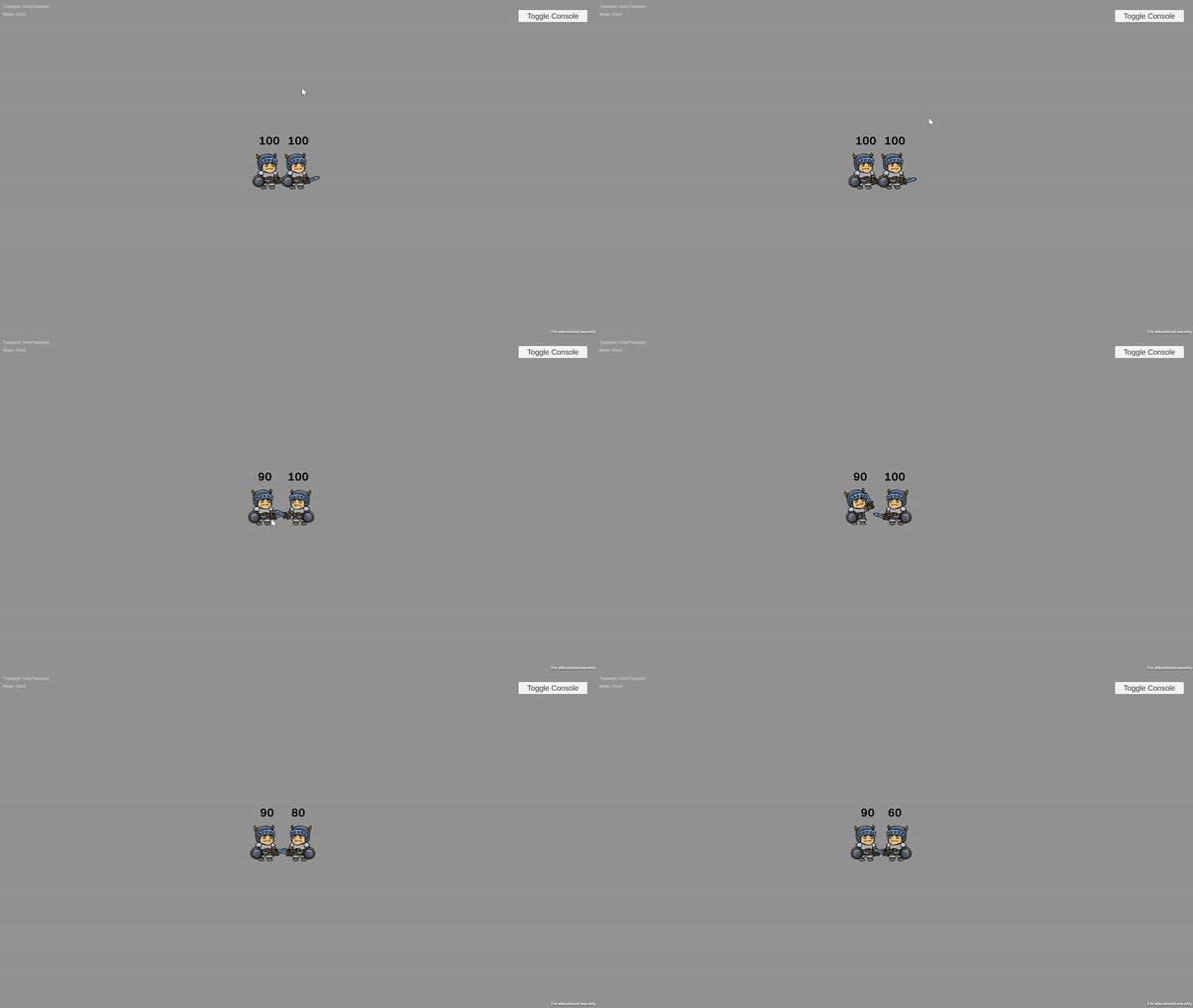
Lastly we have reached the conclusion. After lots of hours and lots of bugs I can give an answer on the question: ‘How can we create a seamless and enjoyable multiplayer gaming experience?’. Firstly lets look at my final product down below. We can see the two clients walk next to eachother and hit/block eachothers attacks.

Now to answer the question, I must say that multiplayer is one of those things which requires lots and lots of research before truly getting into it. If you’re willing to do the research, you will definitely be able to create something nice. Multiplayer has different ways of ensuring synchronization and it really depends on the library/framework you choose. If you do choose unity’s netcode for gameobjects then you will be using network variables and lots of serverRpc’s. By using both of these you can ensure a good and synchronized game. Furhtermore, you will need to understand and use basic lag compensation techniques like dead reckoning. Use these tools wisely to make a great multiplayer game. Beware though, bugs are ahead :).
7. References
- https://blog.hathora.dev/peer-to-peer-vs-client-server-architecture/
- https://docs-multiplayer.unity3d.com/netcode/current/learn/rpcvnetvar/
- https://docs-multiplayer.unity3d.com/netcode/current/advanced-topics/message-system/clientrpc/
- https://docs-multiplayer.unity3d.com/netcode/current/advanced-topics/message-system/serverrpc/
- https://docs-multiplayer.unity3d.com/netcode/current/basics/object-spawning/
- https://www.youtube.com/watch?v=3yuBOB3VrCk
- https://www.youtube.com/watch?v=d1FpS5hYlVE&list=PLQMQNmwN3FvyyeI1-bDcBPmZiSaDMbFTi
- https://medium.com/@qingweilim/how-do-multiplayer-games-sync-their-state-part-1-ab72d6a54043
- https://www.cs.uu.nl/docs/vakken/magr/portfolio/HA2/lecture3.pdf
- https://www.gamedeveloper.com/programming/dead-reckoning-latency-hiding-for-networked-games
